Assessments
Build the case for a product version and a stated use.
An Assessment connects a product’s intended use, risks, controls, evidence, and decision. A Project can contain several Assessments for the same product version, each with its own objective and reviews.
Create a case
Open Assessments → New assessment. Enter the name, objective, and product version. Without a saved version, begin with the initial Intent setup. A new case opens at Intent; an existing case opens its Overview.
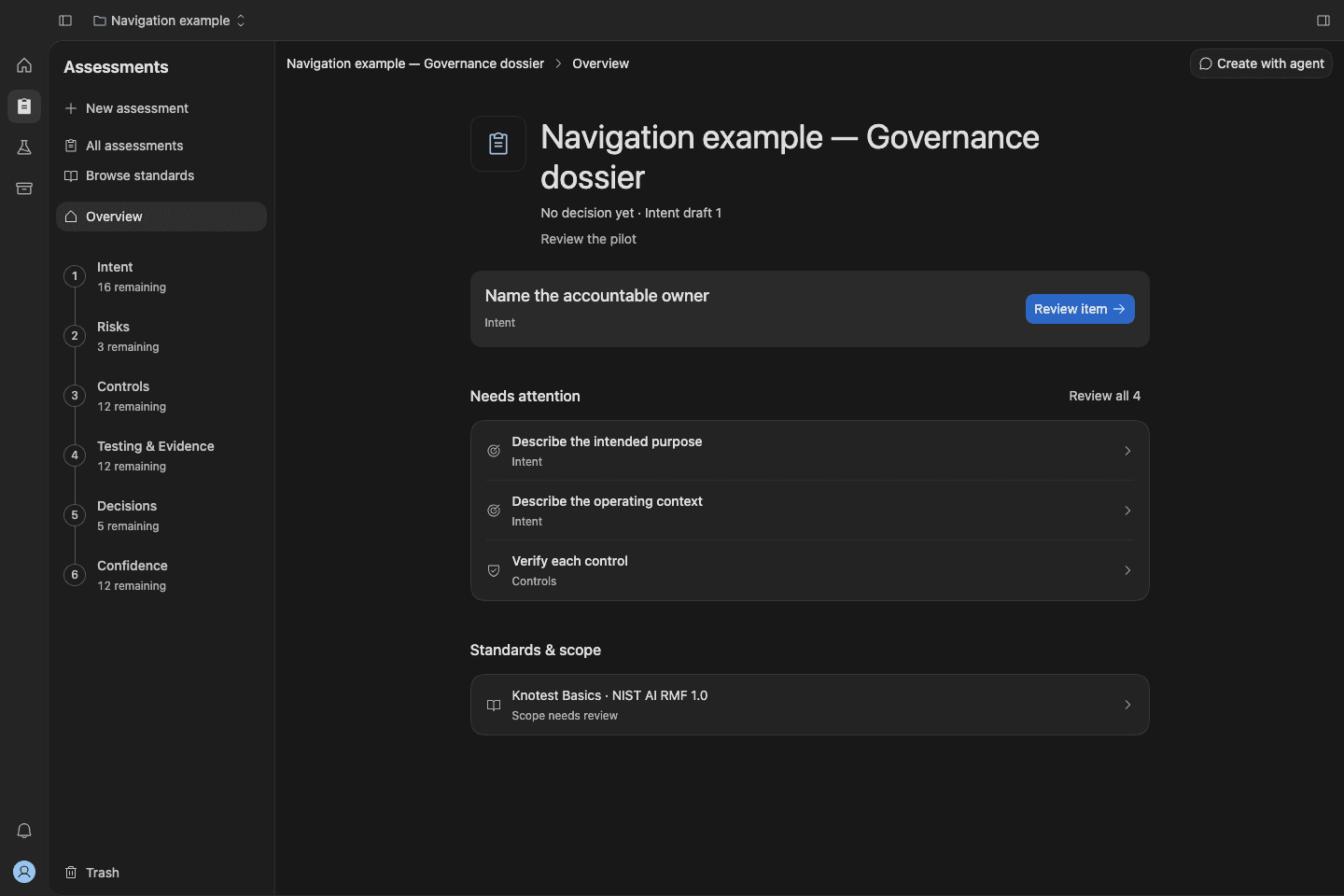
Follow the six connected stages
- Intent defines the system and boundaries.
- Risks records what could go wrong.
- Controls describes the measures addressing those risks.
- Testing & Evidence establishes and reviews requirements.
- Decisions records a decision for the stated use.
- Confidence tracks later observations and duties.
Use Overview to choose the next action
Overview shows the objective, status, next action, attention items, latest decision, and standards scope. Review all appears when items need attention and opens the full list by stage.
Select standards when the use needs them. For a later product version, create a follow-on Assessment.