Get Started
Install Knotest
Download and install the latest production release of Knotest on Windows.
System requirements
Application requirements
- Operating system: Windows 11, 64-bit.
- Processor: Intel or AMD x86-64. The current package does not include a 32-bit Windows binary.
- Memory: 32 GB RAM is recommended for normal use. Knotest can run with less memory, particularly for lighter workloads, but smooth operation is not guaranteed. Actual memory demand depends on the Model, Dataset, input dimensions, and runtime workload.
- HTTPS internet access to download, activate, and update Knotest.
- A per-user installation. The installer writes the application to your user profile and creates Start menu and desktop shortcuts.
- For each Evaluation, free space on the Project volume equal to at least the larger of 2 GiB or 10% of that volume's total capacity.
- Additional disk space for Projects, imported Dataset and Model files, Evidence, reports, and optional inference engine packages.
- Close other memory-intensive applications before running a large Evaluation.
Model inference requirements
- Install a compatible engine under Settings → Model inference before running a local Model.
- ONNX and Torch / YOLO offer CPU profiles, so a GPU is optional.
- NVIDIA profiles require a compatible NVIDIA GPU, the CUDA 12.8 engine profile, and NVIDIA driver 570.65 or later.
- Allow additional disk space for the selected package. The current catalog displays 44 MB for ONNX CPU, 235 MB for Torch / YOLO CPU, and 3.1 GB for Torch / YOLO NVIDIA.
- Review and accept the local execution terms, then wait until the selected engine reports Ready before starting inference.
Download the installer
Download Knotest 1.1.6 for Windows
- Latest production version
- 1.1.6
- File
- Knotest-1.1.6-windows-x86_64-setup.exe
- Installer size
- Approximately 297 MB
- Published
- Sep 18, 2026
The version, filename, installer size, and publication date above come from the production Windows release feed and update when a newer production version is published. This page never uses the UAT release channel.
Only install a Knotest build obtained from the production link above.
Install the application
- Select the production download link above.
- Open
Knotest-<version>-windows-x86_64-setup.exe. - Wait while the installer copies Knotest into your Windows user profile.
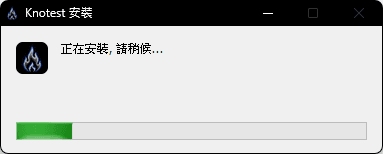
- Allow the per-user installer to finish.
Windows creates a Knotest desktop shortcut when installation completes.

- Open Knotest from the Start menu or desktop shortcut.
- Wait for the application runtime to finish loading. Installation is complete when the Projects page is visible and interactive.
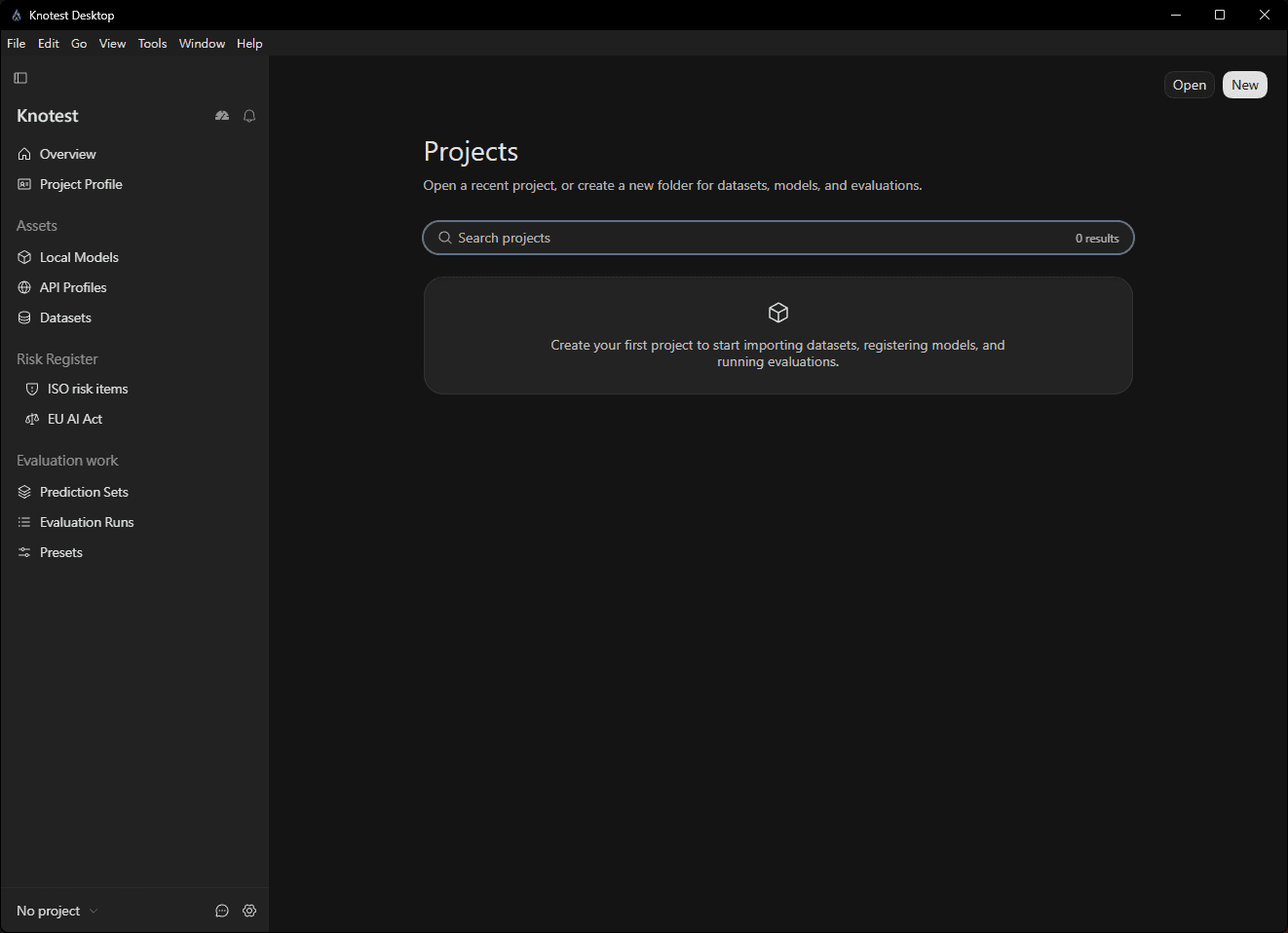
Knotest stores application settings and License information separately from your Projects. Uninstalling the application does not delete that application data automatically.
Continue to Activate Knotest.