Configure an API Profile
Use a synchronous HTTP JSON inference operation as a reusable Inference Source.
An API Profile describes one reusable synchronous HTTP JSON inference operation, its Knotest task, and closed request and response mappings. Credentials and successful live-test receipts stay in private application data rather than the Project.
Configure and test
- Open Models & APIs -> API Profiles.
- Create a Profile and select its Knotest task.
- Enter the HTTP or HTTPS JSON POST operation and invocation policy.
- Configure the supported request mapping from a Dataset sample.
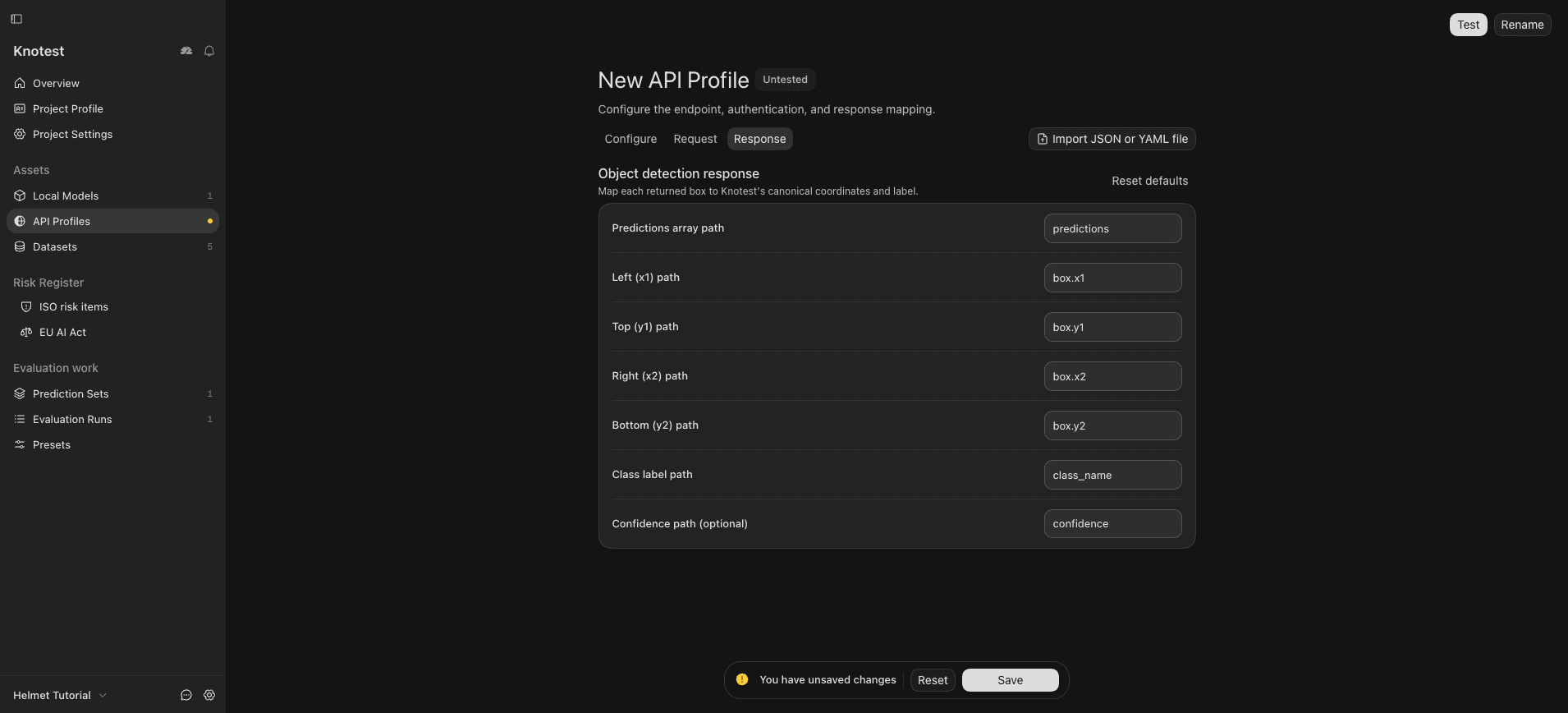
- Configure the supported response mapping into typed Knotest predictions.
- Store the credential using the private credential control.
- Run the live test and resolve every mapping or response error.
- Save the Profile.
The screenshot shows response mapping in an untested draft. The example endpoint is not a live service and no credential is included.
The API Profile metadata is Project truth. Its credential is not. Moving a Project to another computer therefore requires configuring the credential and running the live test again on that installation.
When used for Prediction Generation, the exact Profile identity and configuration become Prediction Set provenance; the credential value does not.