Generate a Prediction Set
Generate clean and Fog-transformed predictions before scoring them.
Prediction Generation invokes the Model against the Dataset. It produces prediction Evidence but does not calculate Evaluation metrics.
Configure generation
- Open Evaluation work > Prediction Sets and choose New.
- Select Helmet v2 full dataset and Helmet YOLO26 detector.
- Confirm output class
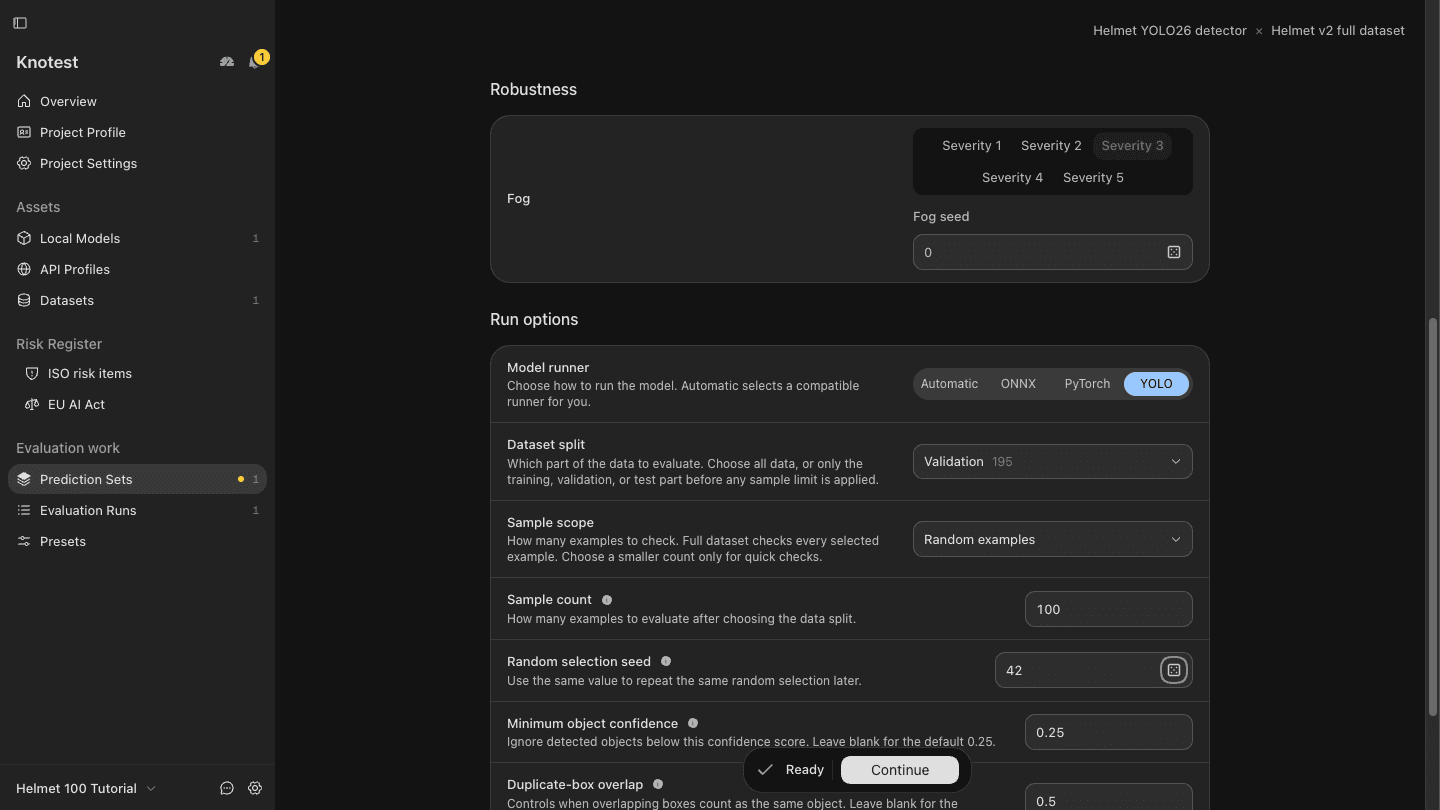
0ishelmet; choose Confirm order if prompted. - Under Prediction coverage, choose Configure > Robustness > Fog. Keep only severity 3 included, then choose Apply changes.
- Set Dataset split to Validation (195 images), Sample scope to
Random examples, Sample count to
100, and Random selection seed to42. Keep minimum object confidence0.25, duplicate-box overlap0.5, and Fog seed0. - Choose Continue and enter
Helmet validation 100 - clean + Fog 3as the set name.
Import the complete 2,335-image Dataset first: Train 2,043, Validation 195, Test 97. Do not preselect files outside Knotest. The Test split has fewer than 100 images, so this tutorial samples Validation. The same seed and unchanged Dataset reproduce the same selection. Use a unique name for each new set.
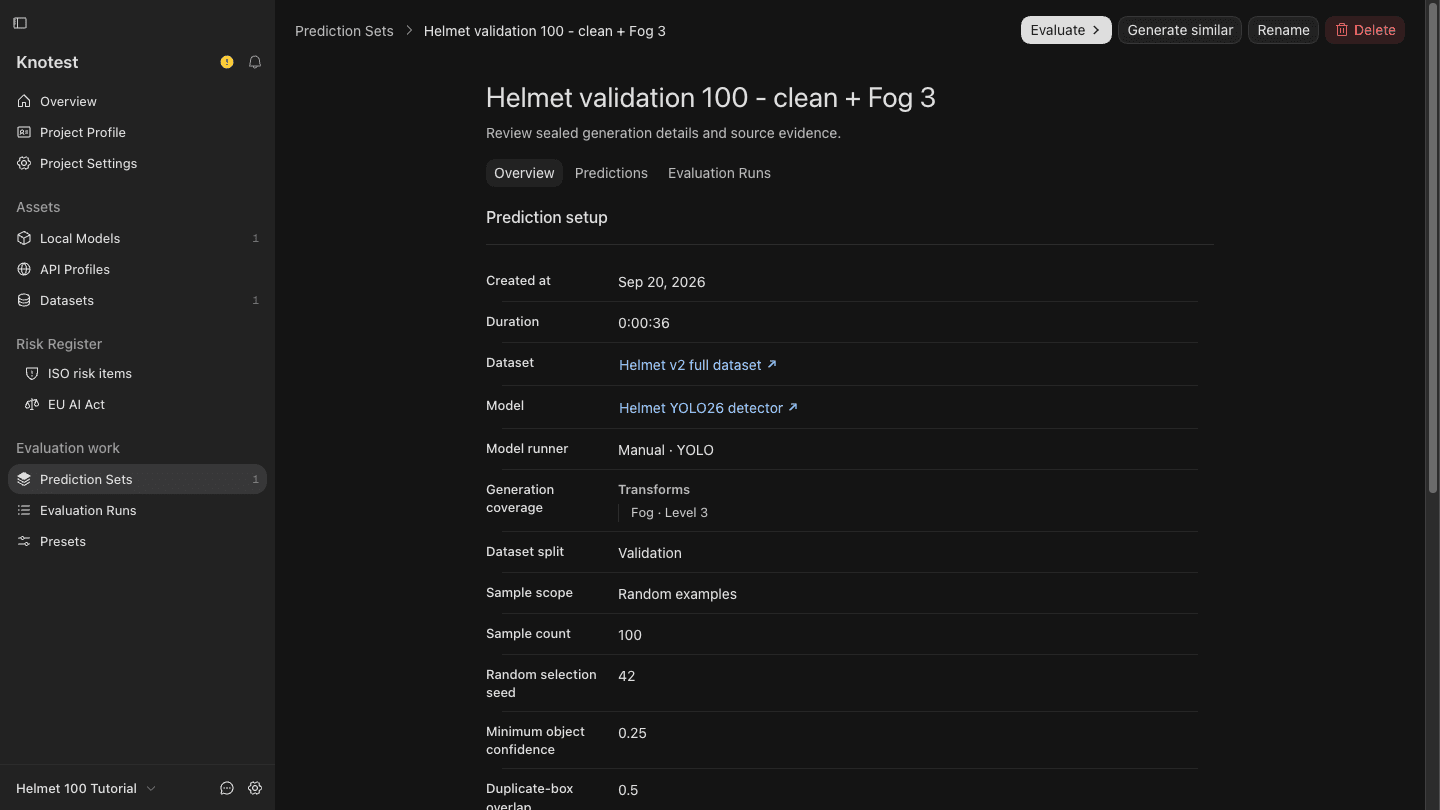
Generate and seal
- Choose Generate. Knotest verifies the Inference Source before starting.
- Resolve any readiness issues shown; do not change the Model class order.
- Keep Knotest running until the Prediction Set detail opens.
The retained Prediction Set is sealed. Its generation coverage, Model and Dataset provenance, and prediction Evidence do not change later. If generation fails, inspect the diagnostic and start a new attempt; do not edit a retained set.
Continue to Run Your First Evaluation.