Get Started
Run Your First Evaluation
Score the sealed Prediction Set with Performance and a minimal Robustness configuration.
The Evaluation scores an existing Prediction Set. It does not rerun or modify the predictions you generated in the previous step.
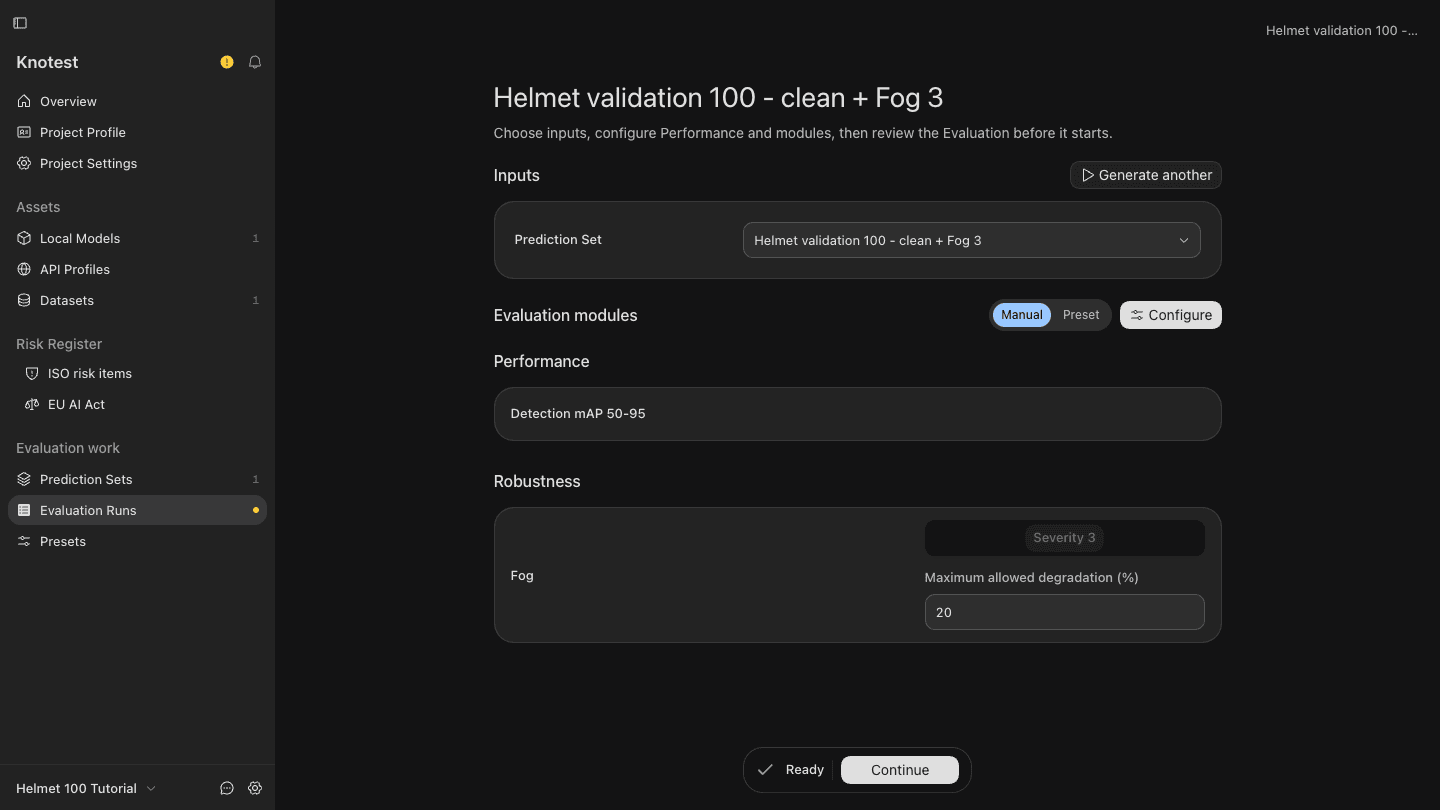
Configure the Evaluation
- From the Prediction Set detail, choose Evaluate.
- Keep Manual as the Evaluation configuration.
- Choose Configure and select Detection mAP 50-95 as the Performance metric.
- Open the Robustness tab and include Fog.
- Select Fog severity 3, matching the Prediction Set coverage.
- Set Maximum allowed degradation to
20%. - Choose Apply changes and confirm that readiness becomes Ready.
Launch and wait for completion
- Choose Continue.
- Name the Evaluation
Helmet 100 robustness evaluation. - Choose Launch.
- Follow progress until the Evaluation detail shows Completed.
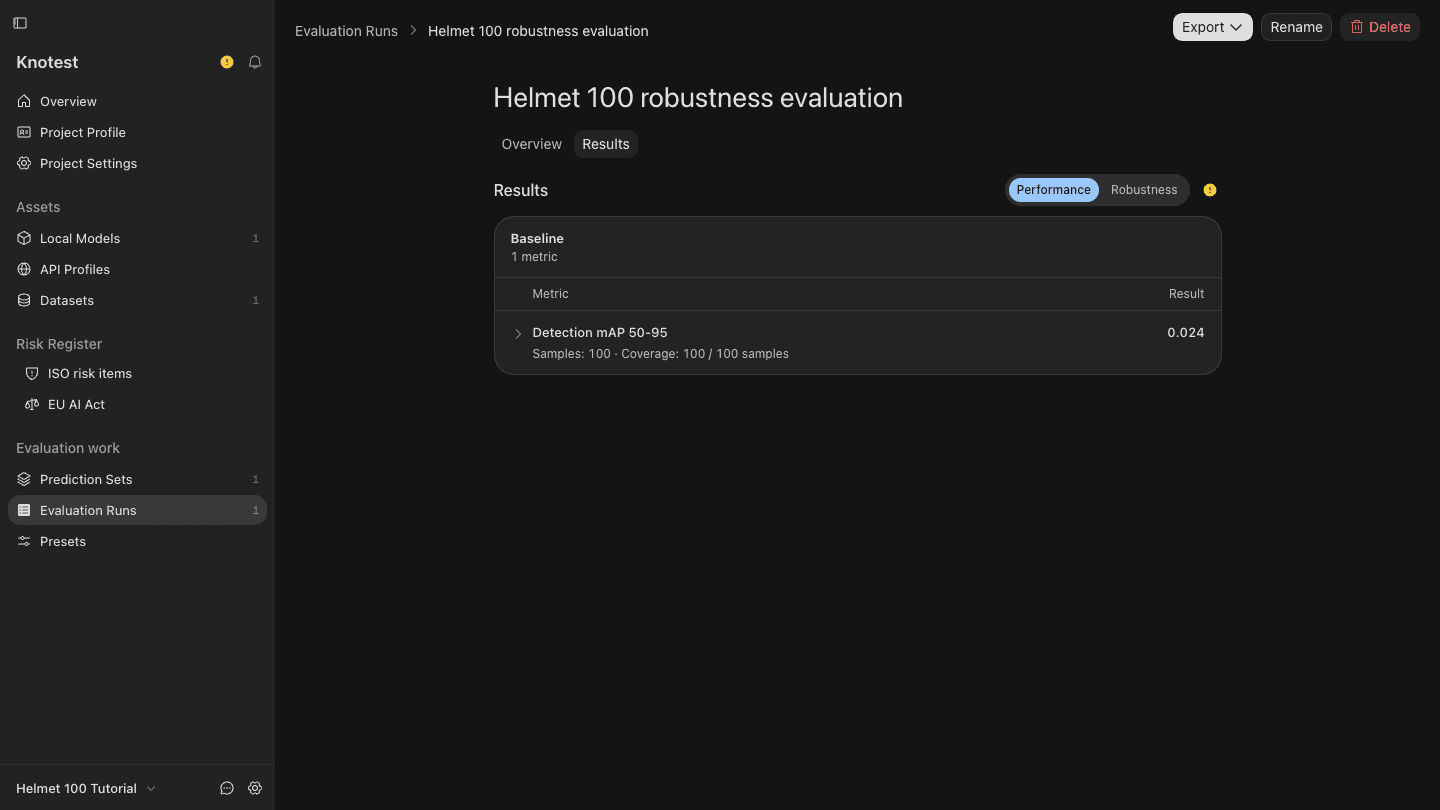
Completed means the required computation finished and selected optional branches completed or recorded an allowed degraded outcome. It does not mean that every metric passed its threshold.
Continue to Inspect the Claim and Evidence.