Inspect and Export
Read the completed Claim and Evidence, then build the tutorial PDF Report.
The terminal Evaluation has an immutable Claim. The Claim binds the compiled configuration and provenance to content-identified Evidence such as metrics, tables, images, logs, and diagnostics.
Inspect the result
- Open the Performance result and note the metric value and sample count.
- Open Robustness and compare the clean result with Fog severity 3.
- Expand Detection mAP 50-95 to read Baseline, Transformed, sample count, degradation, and the configured threshold.
- Open the source Prediction Set's Predictions tab to inspect retained predictions, and review the report's Evidence appendix.
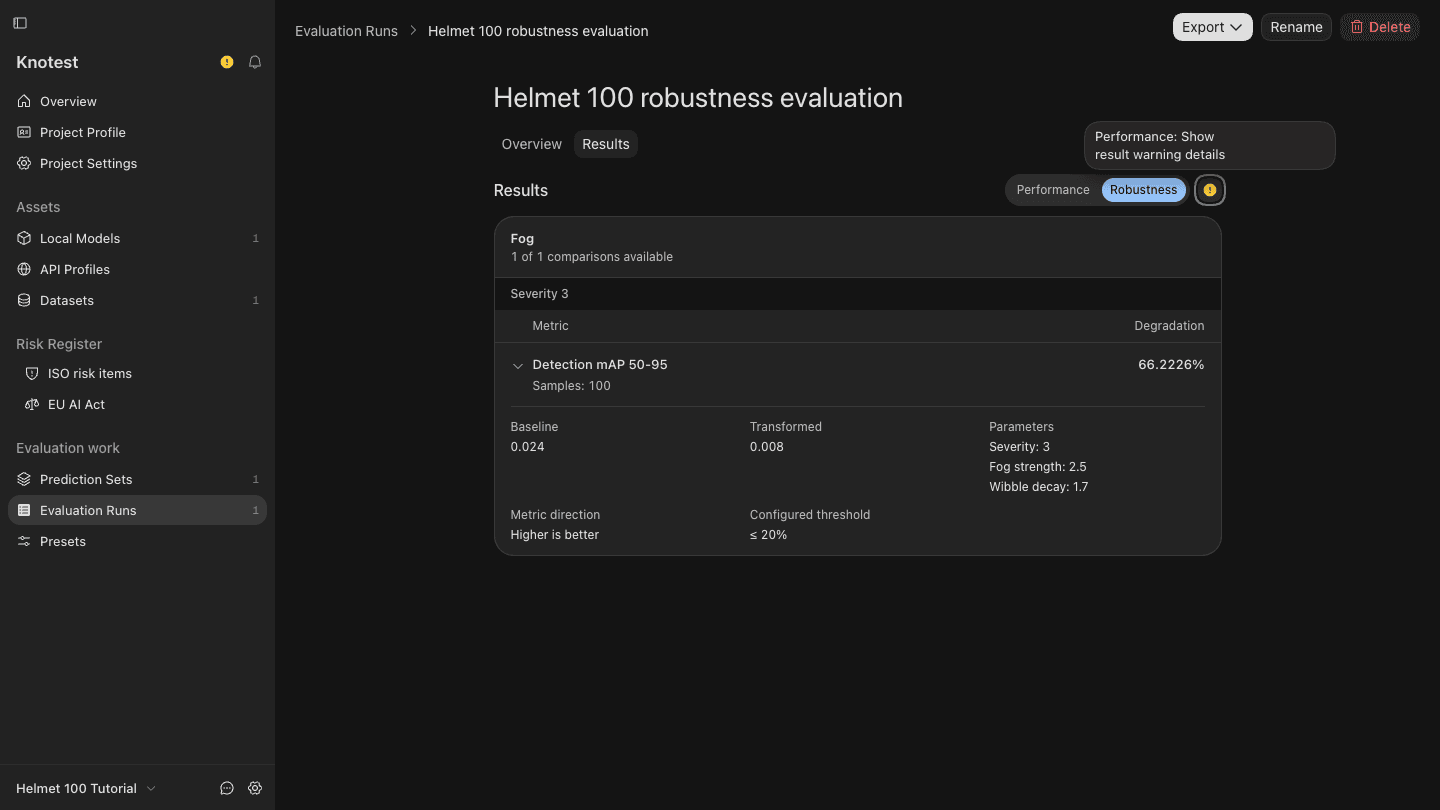
This run uses 100 random Validation images (seed 42). The displayed
Baseline is 0.024, Fog severity 3 is 0.008, and recorded degradation is
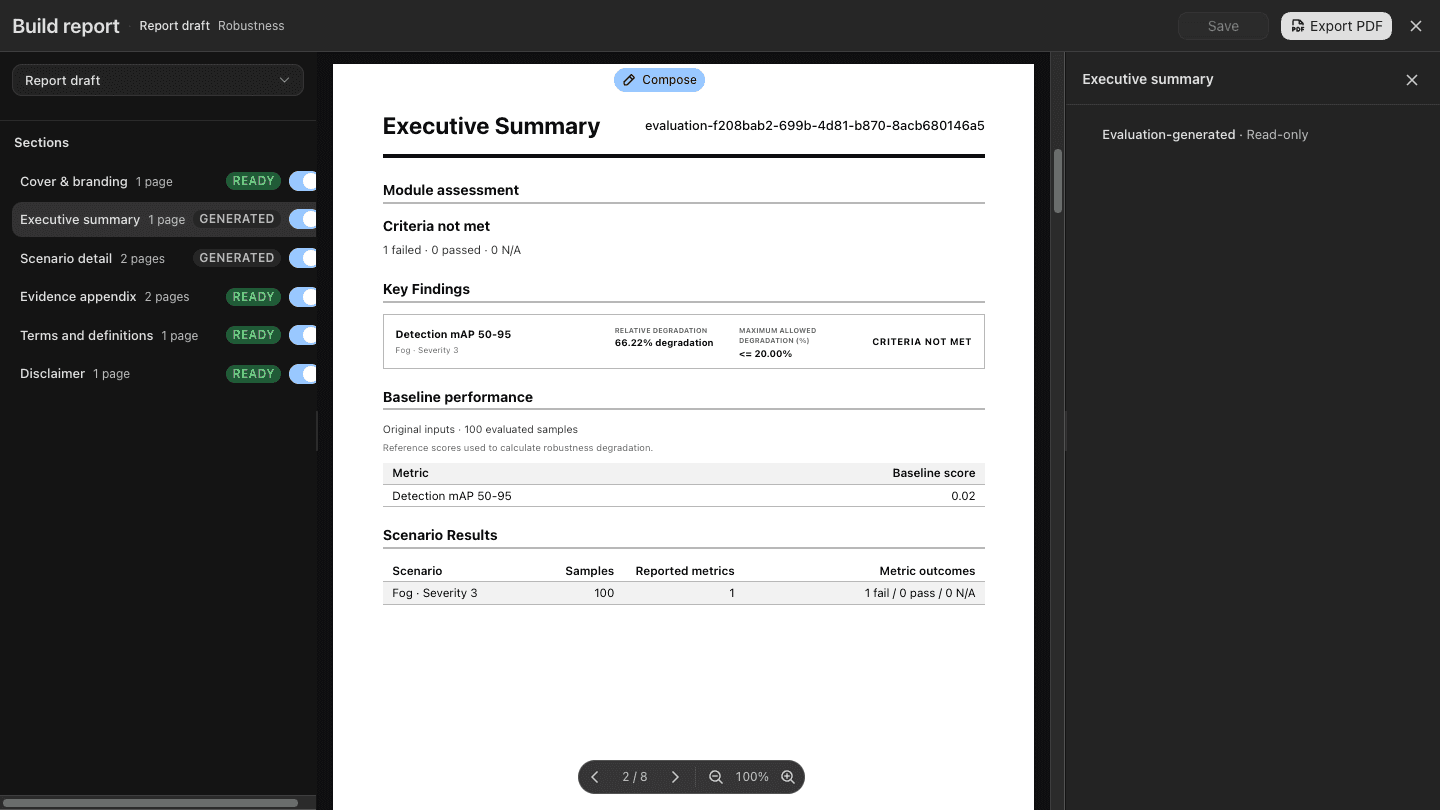
66.2226%. The report records Criteria not met for the 20% limit. Scores
are rounded for display; use the recorded degradation rather than recomputing
it from rounded values.
The result warning reports no predictions for 82 samples containing targets
in the listed branches. Review the Model and confidence threshold when
investigating the low scores; this tutorial retains the original 0.25 setting.
This is a workflow demonstration, not evidence of deployment readiness or
independently verified held-out performance.
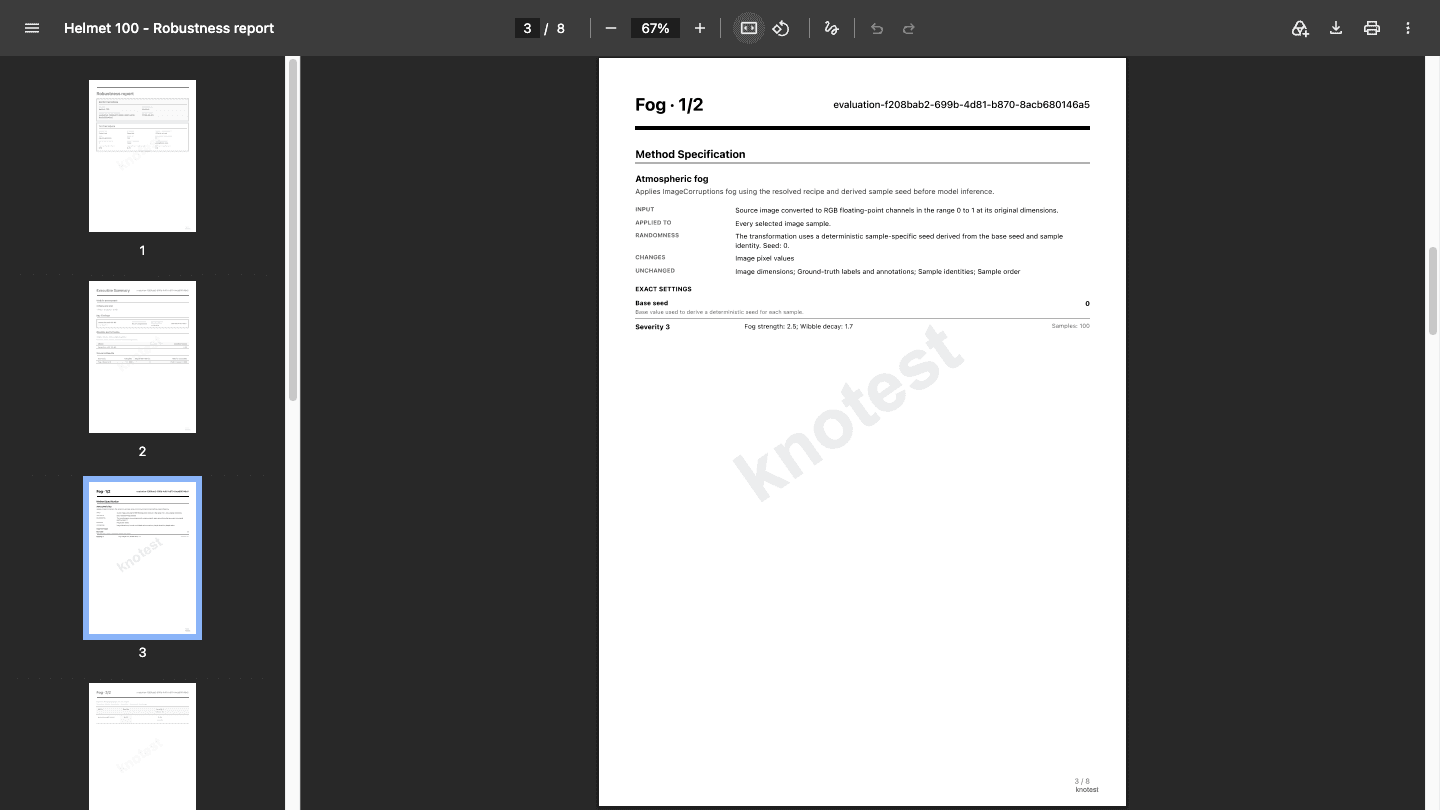
Download the actual eight-page report with the knotest watermark. The watermark was added after export; the original evaluation data is unchanged.
The PDF displays scores and degradation to two decimal places (0.02 / 0.01 and 66.22%); the app uses more display precision.
Build the PDF Report
- Open Export from the completed Evaluation.
- Choose Build Robustness report.
- Review the default outline.
- Select each included section and confirm its content in the preview.
- Save the draft if you changed it.
- Choose Export PDF and save the file.
- Open the exported PDF and confirm that its cover, summary, metrics, exact Fog settings, and Evidence pages render correctly.
You have completed the full First Evaluation path. Next, learn how to use your own Object Detection inputs, interpret Claims and Evidence, or build a custom PDF Report.